The real estate specific problem
Why IDX Property Search Is the Part That Fails
Your listings are the most valuable thing on the site and the part you control least.
Part of the Real Estate Website Accessibility guide · Last reviewed 2026-09-30
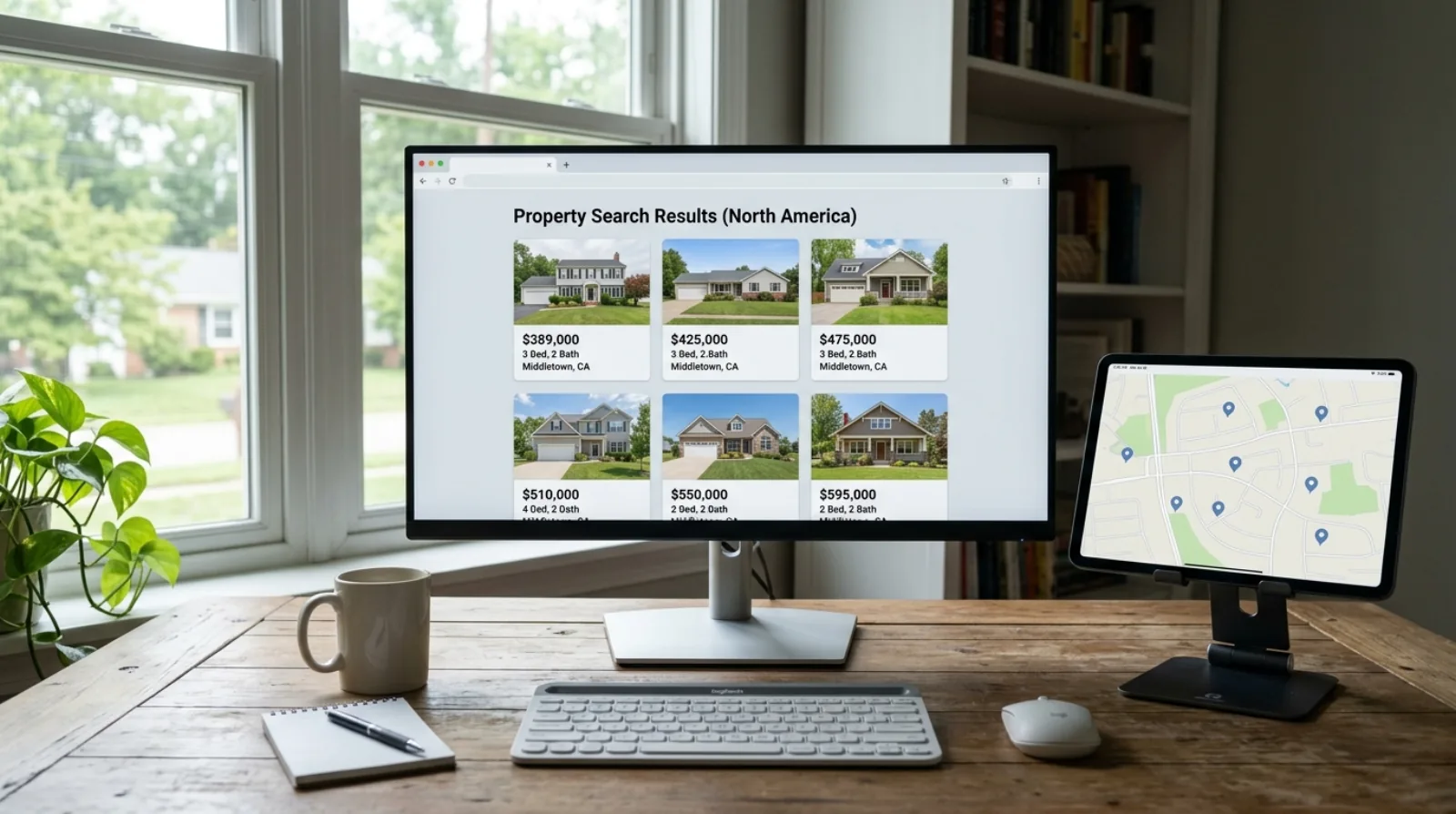
IDX is the feed that displays local listings on your website, supplied by your board or a third-party provider. It is usually the least accessible part of a real estate agent's site, for a structural reason rather than a careless one: you did not build it, it renders through JavaScript after the page loads, and you generally cannot edit its markup. That produces two separate failures from one defect. A screen reader user cannot browse your listings, and a text-only crawler cannot read them either, so the AI assistants that answer property questions never see the inventory you are paying to display.
Key takeaways
- IDX components are third-party code you cannot usually edit, so the standard advice to fix your markup does not apply to the most valuable pages on your site.
- Content that only exists after JavaScript runs is invisible to screen readers and to text-only crawlers, which is one defect with two consequences.
- Automated scanners often report little inside an IDX widget because they cannot see into it, so a clean scan on a listing page can be misleading.
- Interactive maps are hard to make accessible, and the accepted answer is to provide the same listings as readable text rather than to fix the map.
- Property search filters built from styled div elements instead of real buttons cannot be operated by keyboard at all.
- The productive move is a written question to your IDX provider about their accessibility testing, since this is a vendor problem rather than a content problem.
What IDX actually puts on your page
IDX stands for Internet Data Exchange, the arrangement that lets you display other brokers' listings on your own website. In practice it arrives as an embedded component: a block of JavaScript that fetches listing data from the provider and draws the results into your page after it loads.
That last detail carries all the consequences on this page. Your page arrives in the browser without the listings in it. The script runs, calls the provider, receives the data, and builds the property cards. To anything reading the page as delivered rather than running the script, the results area is empty.
It also means the markup for that section was written by your IDX vendor. The heading levels, the button elements, the image alt text, and the form labels inside the widget are their decisions. You can usually restyle the container and change little else.
What a screen reader user experiences
Take a specific case. Someone who is blind wants to browse three-bedroom homes in a neighbourhood, using a screen reader that announces the page aloud in order.
They reach your search page. If the filter controls are built from styled div elements rather than real select and button elements, the screen reader may announce nothing meaningful for them, and the keyboard may not reach them at all, because a div is not focusable unless someone deliberately made it so.
Suppose they manage to run a search. Results are inserted into the page dynamically, and unless the component announces that update, the screen reader says nothing. To the visitor, pressing search appeared to do nothing at all.
Then the results themselves. If each property card is an image linked with no text inside the link, the screen reader announces a link and nothing else. Twelve properties become twelve unlabelled links. If the price and bedroom count are conveyed by position and styling rather than by text structure, they may be read as a run of disconnected numbers.
None of this is exotic. It is the ordinary result of a component built to look right without being tested with assistive technology, and it fails at the exact moment the visitor is trying to do the thing your site exists for.
The same defect hides your listings from AI
Here is the connection that makes this worth fixing even for an agent who is unmoved by the compliance argument.
A screen reader needs your listings to exist as structured text it can read in order. An AI assistant retrieving pages to answer a question about local property needs exactly the same thing: content present in the page as text, in a fetchable document. Both fail against JavaScript-only content, for the same reason.
So when someone asks ChatGPT or Google's AI Mode about three-bedroom homes in your area, your listing pages are candidates that turn out to be empty. The assistant retrieves a page, finds no property information in it, and answers from a portal that publishes its listings as readable text instead.
This is covered in more depth in the AI search hub, which explains how retrieval works and what a page needs to be quotable. Read those two pages together, because they describe one technical problem with two business consequences, and any fix that resolves one resolves the other.
Maps, and the fix that is not fixing the map
Map view is the second common failure, and it deserves a different answer from the rest of this hub.
An interactive map is genuinely difficult to make fully accessible. Panning and zooming a spatial interface has no clean keyboard equivalent, and pins scattered across an image do not translate into a linear reading order that makes sense.
The accepted approach is not to make the map itself perfect. It is to make sure the same information is available another way: a list of the properties on that map, in text, with address, price, bedrooms, and a link to each listing. A sighted visitor uses the map, a screen reader user uses the list, and both get the inventory.
This is also the cheapest accessibility improvement available on a listing page, and it has a side benefit. A text list of properties is readable by crawlers, so the same change that serves a blind visitor makes your listings retrievable.
Why your scan looked fine and was not
A trap worth naming, because it produces false comfort. Run an automated scanner on a listing page and it may report fewer errors than your home page.
That is often because the scanner cannot see inside the widget. Some tools fetch the page without fully running its scripts, so the results area is empty when they look at it, and an empty area generates no errors. Zero errors gets read as a pass.
Two ways to avoid fooling yourself. Compare what the scanner reports against what you can see on the page, and if it says nothing about a results grid full of properties, it did not examine them. And use the keyboard test on the search filters, which requires no tooling and immediately reveals controls that cannot be reached or operated.
What to ask your IDX provider, in writing
Since you cannot edit this component, the productive action is a vendor conversation. Ask these in an email so the answers are on the record.
- Has your IDX component been tested for accessibility, and do you publish a conformance report such as a VPAT or an accessibility conformance report?
- Can the search filters and result cards be operated using only a keyboard, and is focus visible throughout?
- Are search results announced to assistive technology when they update, or do they change silently?
- Is listing content present in the HTML the server delivers, or only after JavaScript runs in the browser?
- Is there a text alternative to the map view listing the same properties?
- If accessibility problems are found in your component, what is the process and timeline for fixing them?
What to do with the answer
The reply sorts you into one of three situations, and each has a different sensible response.
If the provider has tested their component and can show you a report, you are in good shape. Keep that document, note its date, and re-ask when you renew, because components change.
If they have not tested it but will, that is a reasonable outcome and worth pursuing with a date attached. Agents are their customers, and the request carries more weight than most vendors expect because so few people ask.
If they cannot answer or will not commit, you have learned something important about a component sitting on your most valuable pages, and the decision moves from a content question to a platform question. Some providers do offer server-rendered listing pages where the content exists in the HTML rather than being drawn in afterwards, which resolves both the screen reader problem and the crawler problem at once. That is the thing worth asking for by name.
Where the listing pages are rebuilt with the content present in the delivered HTML, both failures on this page close together. That is the structural version of the fix, as opposed to patching a component you do not control.
| What the site does | Effect on a screen reader user | Effect on an AI assistant or crawler |
|---|---|---|
| Listings drawn in by JavaScript after load | Results may never be announced, so the search appears to do nothing | The retrieved page contains no listing text, so there is nothing to cite |
| Property cards as images linked with no text | Announced as unlabelled links, with no address or price | No text to index, so the listing is invisible to retrieval |
| Filters built from div elements, not buttons | Cannot be reached or operated by keyboard | Filtered views may not exist as crawlable URLs |
| Map view with no text equivalent | Spatial interface with no linear alternative to read | No readable property data behind the map image |
The shared cause in every row is content that exists only after client-side script runs, or that carries meaning through styling rather than through text and structure.
Frequently asked questions
Why is IDX property search bad for screen reader accessibility?
Because IDX is third-party code embedded in your page that renders listings through JavaScript after the page loads, and its markup was written by your provider rather than by you. Filters built from styled div elements cannot be reached by keyboard, dynamically inserted results are often not announced, and property cards linked as images with no text read as unlabelled links. You usually cannot edit any of it.
Can I fix my IDX widget's accessibility myself?
Usually not, and this is the honest limit of self-service advice on this topic. The component's markup belongs to your IDX provider and most platforms only let you restyle the container. The productive action is to ask the provider in writing whether the component has been accessibility tested and whether listing content exists in the delivered HTML, then decide based on the answer.
Does JavaScript-only IDX content also hurt my search visibility?
Yes, and it is the same defect producing a second consequence. Content that only exists after a script runs is invisible both to a screen reader and to a text-only crawler, so an AI assistant retrieving your listing page finds nothing to quote. Fixing the retrieval problem and fixing the accessibility problem are the same work, which is why these two issues should be handled together.
How do I make an interactive property map accessible?
You generally do not make the map itself fully accessible, because panning and zooming a spatial interface has no clean keyboard equivalent. The accepted approach is to provide the same properties as a text list alongside it, with address, price, bedrooms, and a link for each. A sighted visitor uses the map, a screen reader user uses the list, and crawlers can read the list too.
My listing page passed an automated scan. Is it actually accessible?
Not necessarily, and a listing page is where this false comfort is most common. Some scanners fetch the page without fully running its scripts, so the results area is empty when they examine it and an empty area produces no errors. If the tool reported nothing about a grid full of properties, it did not test them. Use the keyboard on the filters to check for yourself.
What is a VPAT and should I ask my IDX provider for one?
A VPAT, or Voluntary Product Accessibility Template, is a document in which a vendor reports how their product measures against accessibility standards. Asking for one, or for any accessibility conformance report, is reasonable and puts the question on the record. A provider who has one is likely to have done the testing. A provider who cannot answer has told you something useful about the component.
Are property search filters usually keyboard accessible?
Often not, and it is the easiest failure to verify yourself. Filters are frequently built from styled div elements that look like dropdowns and buttons but are not, and a div is not reachable by keyboard unless a developer deliberately made it focusable. Press Tab through your search controls without a mouse. If you cannot reach a filter or activate it with Enter or Space, neither can a keyboard user.
Should I remove IDX from my website to avoid the problem?
No, that trades one problem for a worse one. Listings are a large part of why visitors come to an agent website and removing them removes the reason to visit. The better path is to ask your provider about accessibility testing and server-rendered listing content, add a text list alongside any map view, and make sure the pages you do control are sound.
Does server-side rendering fix both the accessibility and the AI problem?
It addresses the shared root cause, which is content that exists only after client-side script runs. When listing data is present in the HTML the server delivers, a screen reader can read it in order and a text-only crawler can retrieve it, so both failures close together. It does not by itself fix unlabelled controls or missing alt text, which still need attention in the component's markup.
Who is responsible if the IDX component causes an accessibility complaint?
That depends on your agreement with the provider and on the jurisdiction, which makes it a question for a lawyer rather than one to settle from a web page. Practically, the site is published under your name and a visitor experiences the barrier on your domain, so you should not assume the vendor absorbs it. Keep written records of the accessibility questions you asked and the answers you received.
Related pages in this guide
Related reading
Sources
Every claim on this page that could be checked against a primary source is linked below. Where something is not publicly documented by a vendor, the page says so rather than filling the gap with an estimate.
- The WebAIM Million: An annual accessibility analysis of the top 1,000,000 home pages (WebAIM, Utah State University (published February 2026))
- How to Meet WCAG 2.1 (Quick Reference) (World Wide Web Consortium (W3C))
- JavaScript SEO Basics (Google Search Central)